 WANTA
The park is open.Run it back.
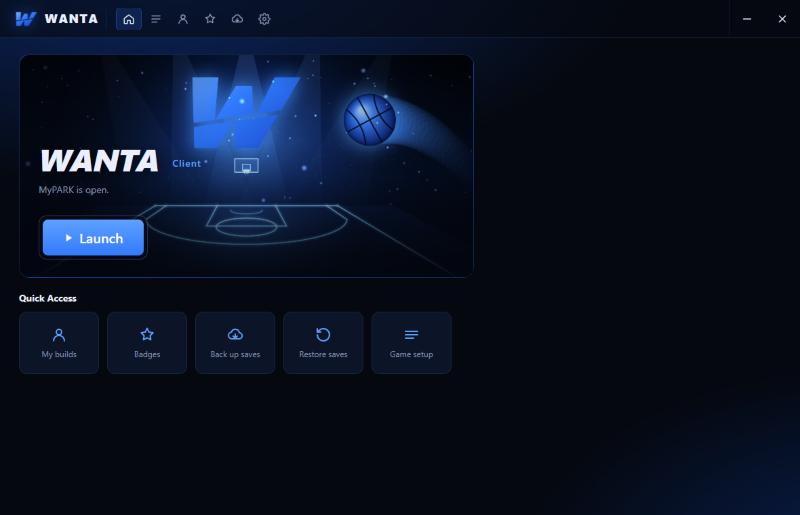
Wanta Client gets you on the blacktop in one click: sign in with Steam, press Launch, and you're in. It sets up the game, keeps itself updated and backs up your builds.
One app. Everything in it.
No folders to copy, no files to swap. Wanta Client does the setup, keeps you current and gets you to the park.
Sign in with Steam
Your account, VC, rep and builds follow your Steam sign-in. No new passwords.
Updates itself
New parks, items and fixes land on their own. Open the client and you're on the newest version.
Controller ready
PS4 and PS5 controllers work out of the box, alongside Xbox pads.
Save backups
Back up your MyPLAYER builds to your Wanta account and bring them back in a click.
Fair play
Cheats and trainers get caught, so every win on the blacktop is earned.
Proximity voice
Talk to the players around you in the park and on your court, built right in.
Clean. Fast. Built from scratch.
Your builds, badges, saves and settings, one tap from Launch.
Three steps. Then hoop.
Download the client
Grab Wanta Client from #download in our Discord and open it.
Sign in with Steam
Pick your game folder once. The client sets everything else up for you.
Press Launch
Pick your server, hit Launch and walk into the park.
Wanta Access
Keep the lights on and unlock the members servers, perks and drops.
Cancel any time in Wanta Client. You keep your perks to the end of the month you paid for.
- The members servers (Central)
- Supporter logo next to your name
- Wanta Access clothes and monthly drops
- Wanta Access role on Discord
- Supporter news first in #supporter-news
Questions
How do I start playing?
Download Wanta Client from #download in our Discord, sign in with Steam, point it at your game folder and press Launch. The client sets up the rest.
How do I become a member?
In Wanta Client: Settings → Account → Wanta membership → Become a member. You pay on Stripe's secure checkout page; Wanta never sees your card. Your perks turn on within seconds.
I'm already on Patreon. Do I need to switch?
No. Link Patreon keeps working and gives the same perks. Use whichever you like.
How do I cancel?
Wanta Client → Settings → Account → Wanta membership → Manage → Cancel subscription. You keep your perks until the end of the month you paid for. See Refunds & cancelling.
How do I get the member role on Discord?
Wanta Client → Settings → Account → Discord → Link Discord, then Authorize. Wanta Bot gives you the role within a few minutes.
My controller doesn't work in game.
Open a ticket in our Discord and pick the controller topic: it walks you through the fix in a minute.